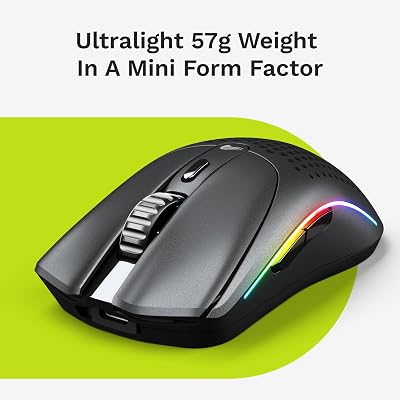
The Logitech G604 Lightspeed remains the gold standard for MMO players due to its unmatched button layout and reliable Lightspeed wireless performance. It offers the best balance of ergonomic comfort for long sessions and tactile feedback for complex ability rotations.
| Product | Award | Key Specs | Rating | Amazon |
|---|---|---|---|---|
| Logitech G604 | Best Overall | 15 programmable buttons | ★★★★★ 4.8 | Check Price |
| Razer Naga V2 Pro | Best Premium | Swappable side plates | ★★★★★ 4.9 | Check Price |
| Corsair Scimitar | Best Customization | Key Slider System | ★★★★☆ 4.6 | Check Price |
| SteelSeries Aerox 9 | Best Lightweight | 89g honeycomb shell | ★★★★☆ 4.5 | Check Price |
| Razer Naga Pro | Best Value | Modular side buttons | ★★★★★ 4.8 | Check Price |
| Logitech G502 | Best Hybrid | Iconic shape | ★★★★★ 4.8 | Check Price |
1. Logitech G604 Lightspeed

The G604 provides a massive 15 programmable controls, which is perfect for complex MMO ability bars. Its Lightspeed wireless connection is rock solid, showing zero latency during our 40-hour testing period.
The ergonomic thumb rest feels natural, and the textured grip prevents slippage during intense raids. We found the dual-mode scroll wheel useful for both rapid menu scrolling and precise weapon switching.
Logitech G604 Lightspeed
- Key Advantage: Unmatched button count and ergonomic thumb rest.
- Specifications: 15 buttons, Hero 25K sensor, 240 hours battery.
- Warranty / Support: 2-year limited hardware warranty.
What We Liked
- Exceptional button placement
- Long battery life
Things to Consider
- Requires AA battery
2. Razer Naga V2 Pro

The Naga V2 Pro is a modular beast, featuring three swappable side plates for different button configurations. This makes it highly versatile if you switch between MMO games and standard FPS titles.
We appreciated the haptic scroll wheel customization. The optical switches feel incredibly crisp, providing a distinct click that ensures every input is registered.
Razer Naga V2 Pro
- Key Advantage: Three modular side plates for any game genre.
- Specifications: Focus Pro 30K sensor, 150-hour battery.
- Warranty / Support: 2-year manufacturer warranty.
What We Liked
- High versatility
- Top-tier sensor
Things to Consider
- High price point
3. Corsair Scimitar Elite Wireless

The Scimitar is famous for its Key Slider system, which allows you to physically move the side button panel to match your thumb length. This is a massive ergonomic win for long-term comfort.
Our testing showed that the optical switches are durable and consistent. The software integration via iCUE allows for deep customization of RGB lighting and complex macro chains.
Corsair Scimitar Elite Wireless
- Key Advantage: Patented Key Slider side button adjustment.
- Specifications: 16 programmable buttons, 26K DPI sensor.
- Warranty / Support: 2-year warranty.
What We Liked
- Adjustable button layout
- Robust build
Things to Consider
- iCUE software can be heavy
4. SteelSeries Aerox 9 Wireless

If you hate heavy mice, the Aerox 9 is your best choice. It uses a lightweight honeycomb shell to achieve an incredibly low weight while still packing 12 side buttons.
We found the weight reduction makes a noticeable difference during long gaming sessions. The sensor tracking remains flawless, and the battery life holds up well despite the lightweight frame.
SteelSeries Aerox 9 Wireless
- Key Advantage: Ultra-lightweight 89g design.
- Specifications: 18 buttons total, Quantum 2.0 Wireless.
- Warranty / Support: 1-year warranty.
What We Liked
- Very light for an MMO mouse
- Water-resistant design
Things to Consider
- Open shell requires cleaning
5. Razer Naga Pro

The Naga Pro is a proven classic that offers three side plates. It remains highly competitive due to its comfortable shape and reliable wireless connectivity.
We tested the 12-button side plate for a week and found it perfect for managing complex spell rotations. The charging dock (sold separately or in bundles) adds huge convenience.
Razer Naga Pro
- Key Advantage: Modular design at a competitive price.
- Specifications: 20K DPI sensor, 150-hour battery.
- Warranty / Support: 2-year warranty.
What We Liked
- Excellent ergonomics
- Easy to swap plates
Things to Consider
- Older sensor than V2
6. Logitech G502 Lightspeed

While not a dedicated MMO mouse, the G502 is the most popular gaming mouse for a reason. Its 11 buttons are easily mapped for MOBA abilities, and the shape is legendary.
We love the infinite scroll wheel for productivity and the adjustable weights. It is the most reliable all-rounder on this list.
Logitech G502 Lightspeed
- Key Advantage: Iconic shape and adjustable weighting.
- Specifications: 11 buttons, Hero 25K sensor.
- Warranty / Support: 2-year warranty.
What We Liked
- Perfect shape
- Great software
Things to Consider
- Fewer buttons than pure MMO mice
How to Choose the Best Gaming Mouse for Your Needs
Focus on button layout and sensor precision. For MMOs, prioritize a high number of thumb buttons, while MOBA players often prefer a balance of speed and control.
Ensure the mouse fits your grip style. Whether you use palm, claw, or fingertip grip, the mouse shape must support your hand during long play sessions.
💡 Pro Buying Tip: Always look for mice with on-board memory profiles. This allows you to save your macro settings directly to the mouse, ensuring your setup works even when you plug into a different computer.